
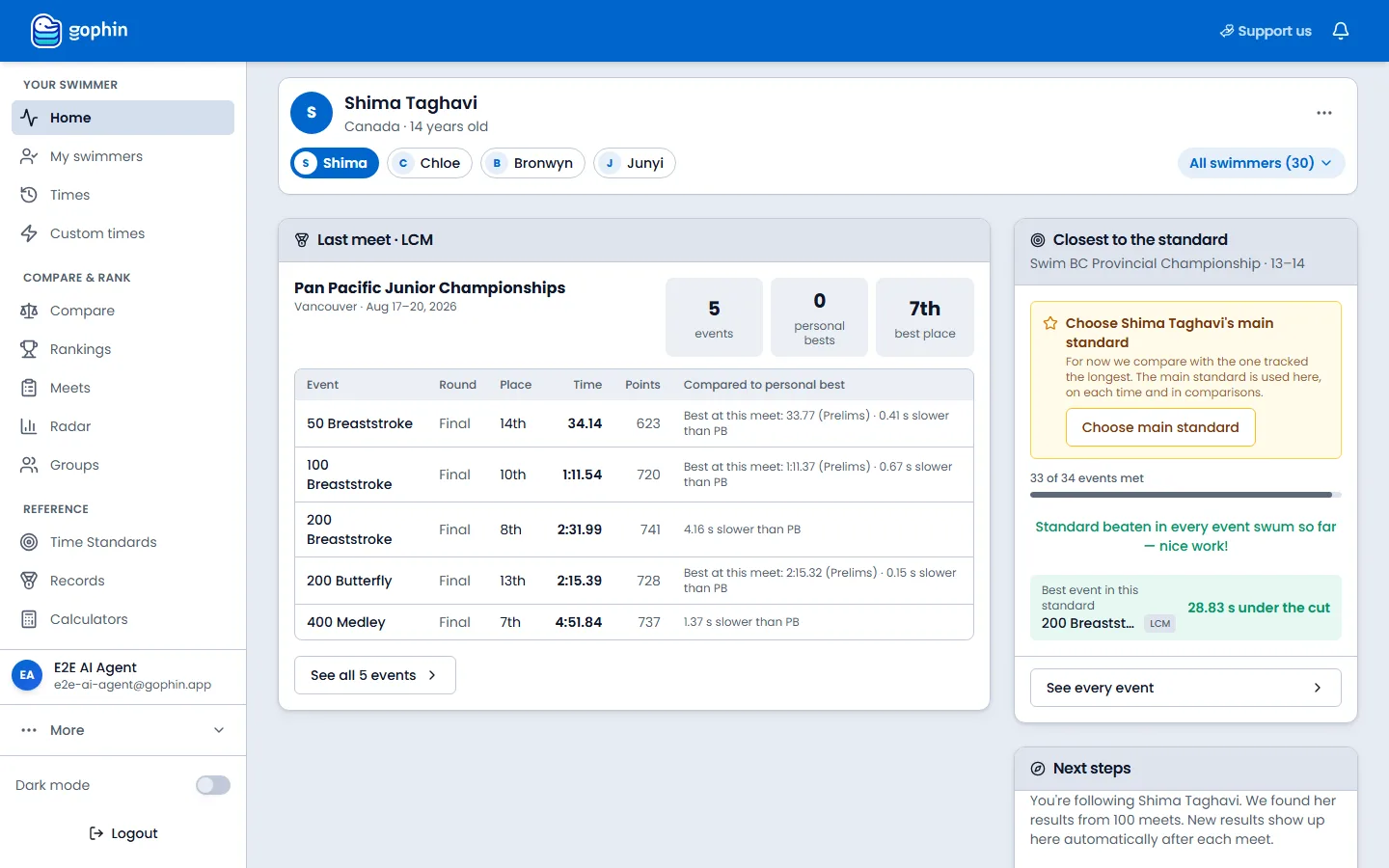
On a computer, select your name at the bottom of the side menu. On the phone, tap your photo at the top right, then your name. That page is your account, not a swimmer.
Profile is you, not a swimmer
A swimmer has times, meets, and rankings. Your account is the login that follows those swimmers. Profile holds your name, the language of the app and of your emails, how you sign in, and the doors to donations, feedback, cookies, and notifications.
Every field on the page saves as you change it. There is no Save button.
How to open it
On a computer
Your name and email sit at the bottom of the side menu, on every screen. Select that row. The page title is Profile, with the line Manage your account settings and preferences.
On the phone
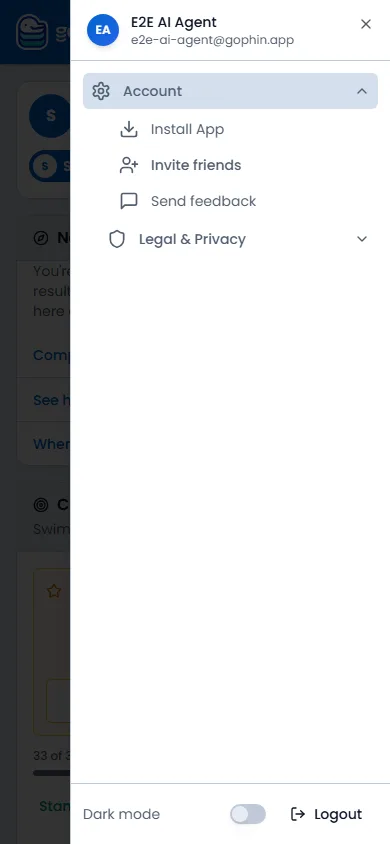
Tap your photo at the top right. The menu opens with your name and email at the top. Tap that row to open Profile. Account in the same menu is a list of shortcuts: Install App, Invite friends, Send feedback, and Legal & Privacy. Dark mode and Logout are at the bottom of the menu.
What you can change
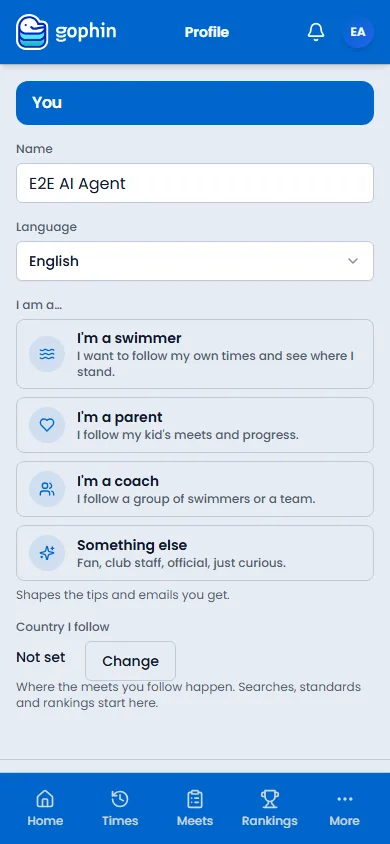
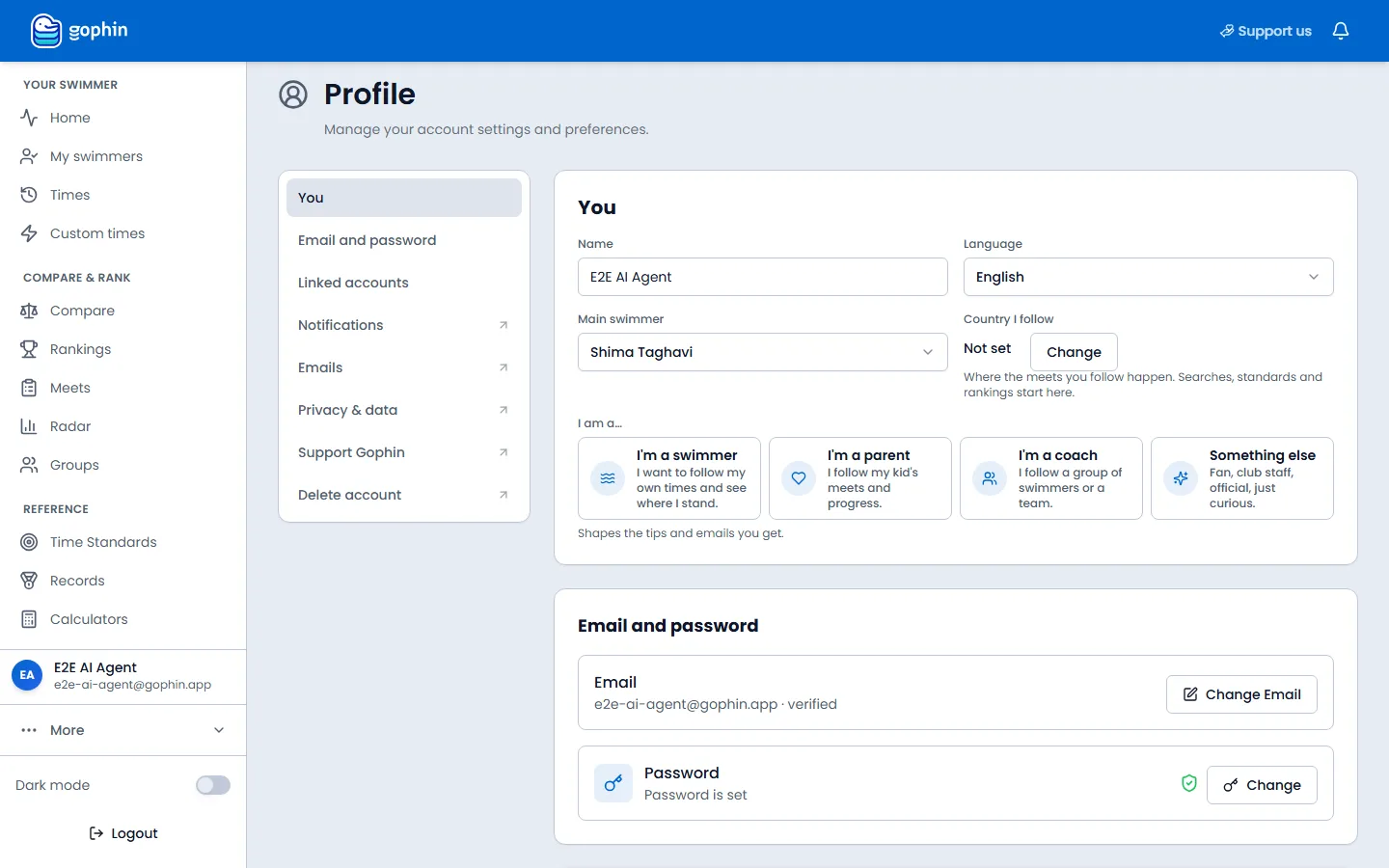
The first card is You.
- Name. What Gophin calls you.
- Language. English or Português (Brasil). The app switches as soon as you pick one, and your emails use that language too.
- I am a… Swimmer, parent, coach, or something else. This shapes the tips and emails you get.
- Country I follow. Where the meets you care about happen. Search, standards, and rankings start there. Select Change to pick a country. This is not your nationality.
- Main swimmer is on the computer only. It is who opens first on Home, in comparisons, and in the pickers. On the phone, open My swimmers, open the menu on a swimmer, and choose Make main swimmer.
Email, password, and linked accounts
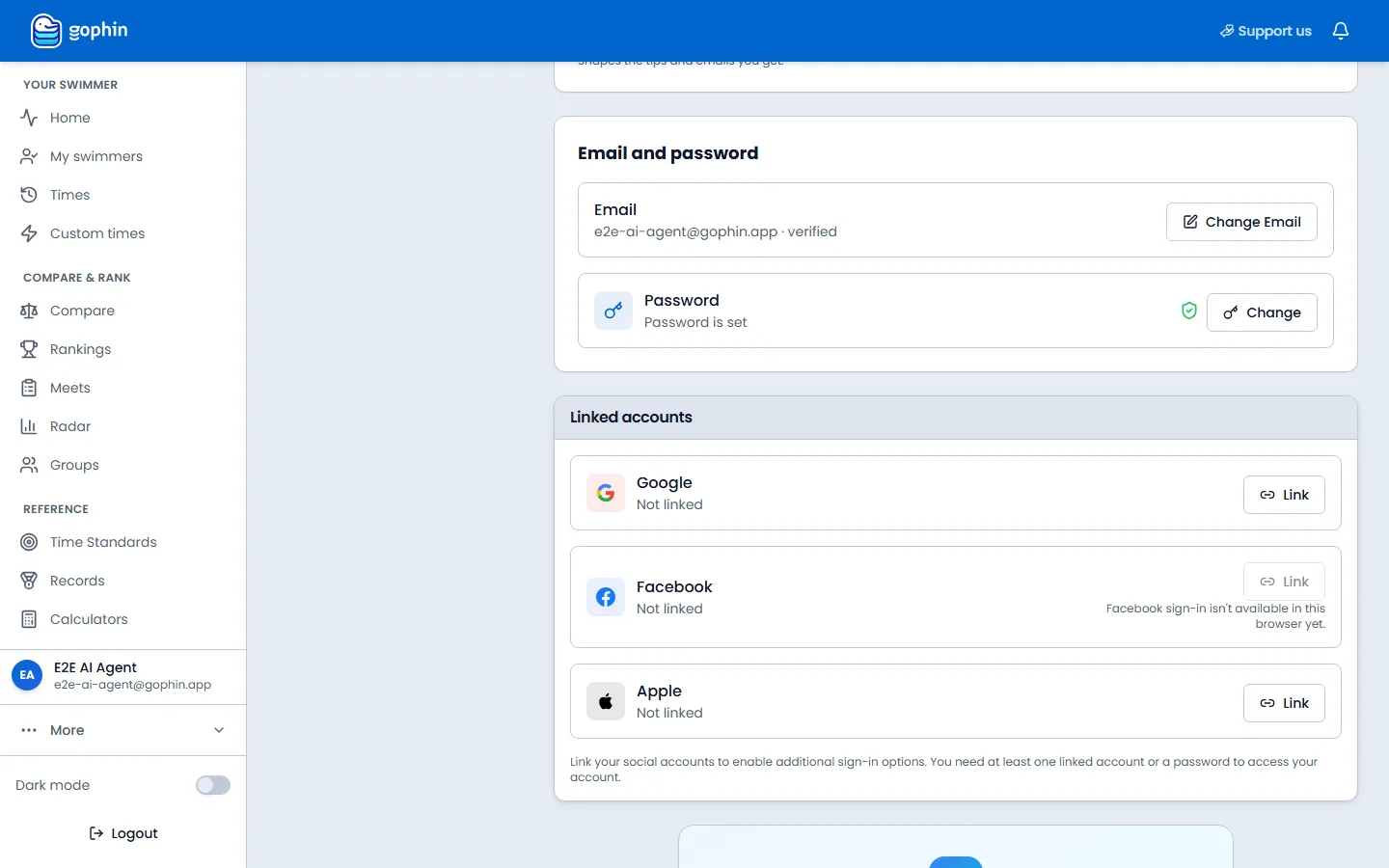
On a computer the next cards are Email and password and Linked accounts. Change Email updates the address. Change next to Password updates the password. Google, Facebook, and Apple can be linked so you can sign in with them. You need a password or at least one linked account to get back in.
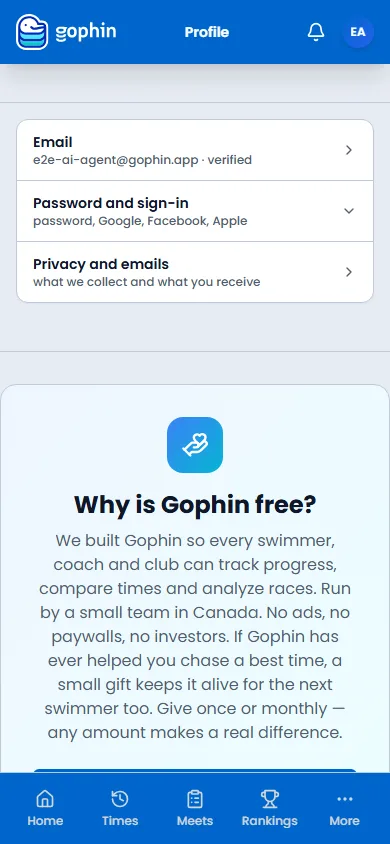
On the phone those jobs are three rows. Email opens the change-email page. Password and sign-in opens the password and the Google, Facebook, and Apple links in place. Privacy and emails opens Privacy & data.
Under those rows the phone shows Why is Gophin free? That card is the donation. The form itself is on Support Gophin.
The rest of the account
Same account, more pages
On a computer the profile list continues past the cards on this page. Each item with an arrow opens its own screen.
- Notifications and Emails open notification settings: push, the emails you receive, and meet alerts.
- Privacy & data opens cookies, export, and the rest of your data.
- Support Gophin opens the donation. On a computer, Support us in the top bar goes to the same page.
- Delete account opens Privacy & data at the bottom of that page. On the phone, start from Privacy and emails.
- Send feedback is in the phone’s Account menu, and under More at the bottom of the side menu on a computer. How to send it.
Common questions
Is Profile the swimmer’s page?
No. Profile is the person who signs in. The swimmer’s times live under Home, Times, and My swimmers. Main swimmer only chooses which swimmer opens first.
Where do I change the language?
Profile, then Language. English and Português (Brasil) are the choices. The app and your emails both switch.
Where are donations, feedback, and cookies?
Donations are Support us in the top bar, Support Gophin in the profile list, or the Why is Gophin free card on the phone. Feedback is Send feedback in the Account menu. Cookies are the bar on a first visit, and Privacy & data after you have an account.