
The bell is the inbox of notices already sent. Notification settings is where you choose emails and push. On a computer, open them from Profile. On the phone, open My swimmers, then Result alerts.
The bell is not the settings
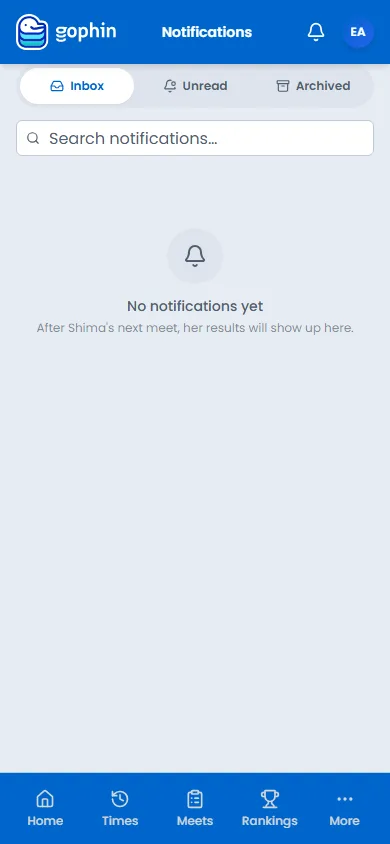
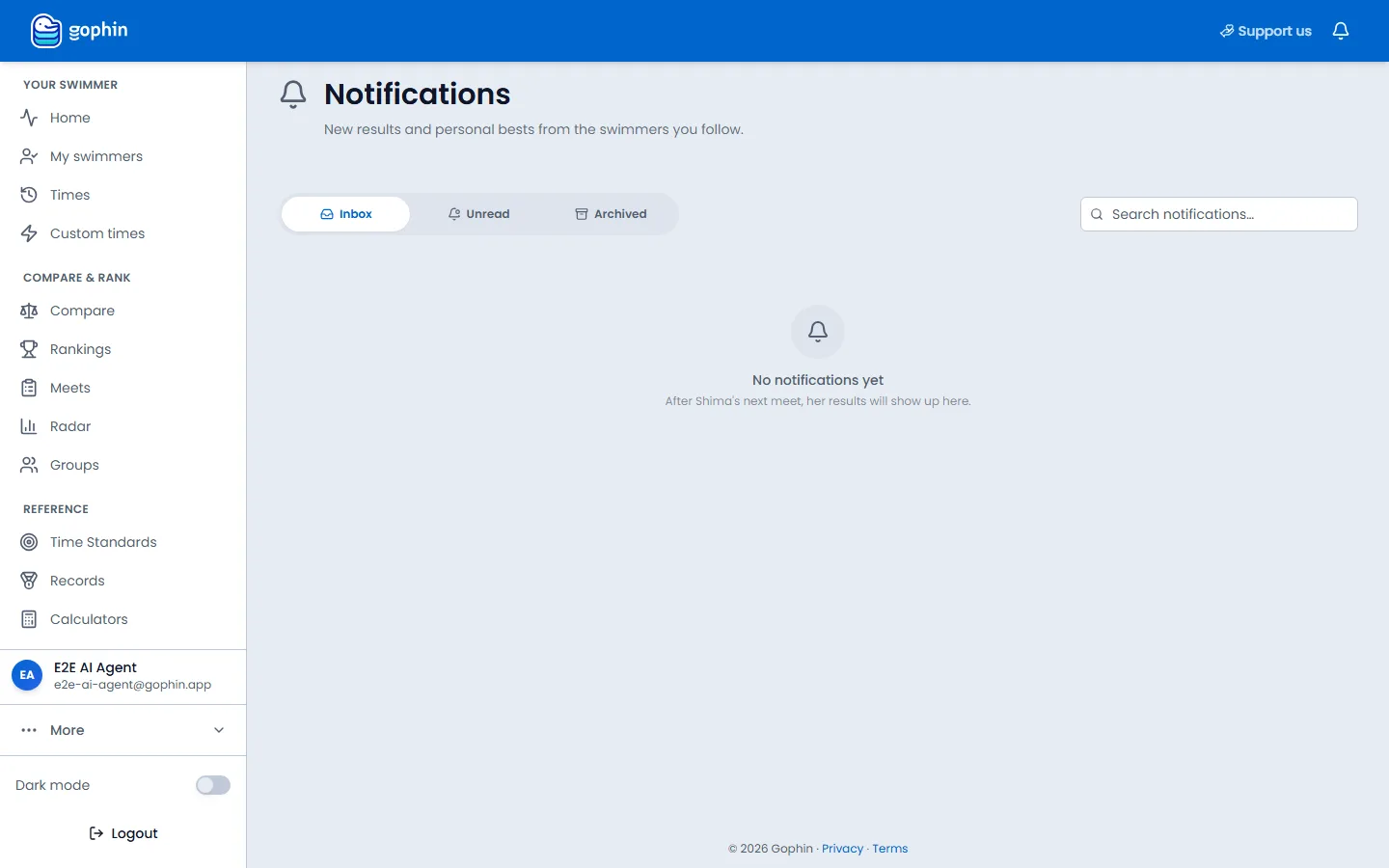
The bell at the top opens notices already sent. The page title is Notifications. The line under it says new results and personal bests from the swimmers you follow. Inbox, Unread, and Archived switch the list. Search notifications filters it. When nothing has arrived, the page says No notifications yet and names your main swimmer: their next meet will show up here. Mark all as read appears once something is unread.
Notification settings is where you decide what is allowed to be sent. In-app notices in the bell stay on. Push notifications are the alerts that can arrive when the app is closed. If the browser is blocking them, the page says so and points you at the lock icon in the address bar.
How to open the settings
On a computer
Open Profile. Notifications and Emails both open this page. Emails lands on the email list.
On the phone
Open My swimmers and select Result alerts. The page title is Notification settings.
Turn emails off one by one
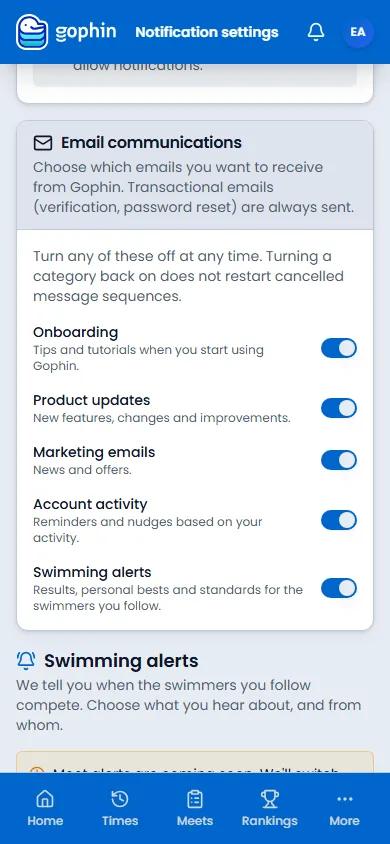
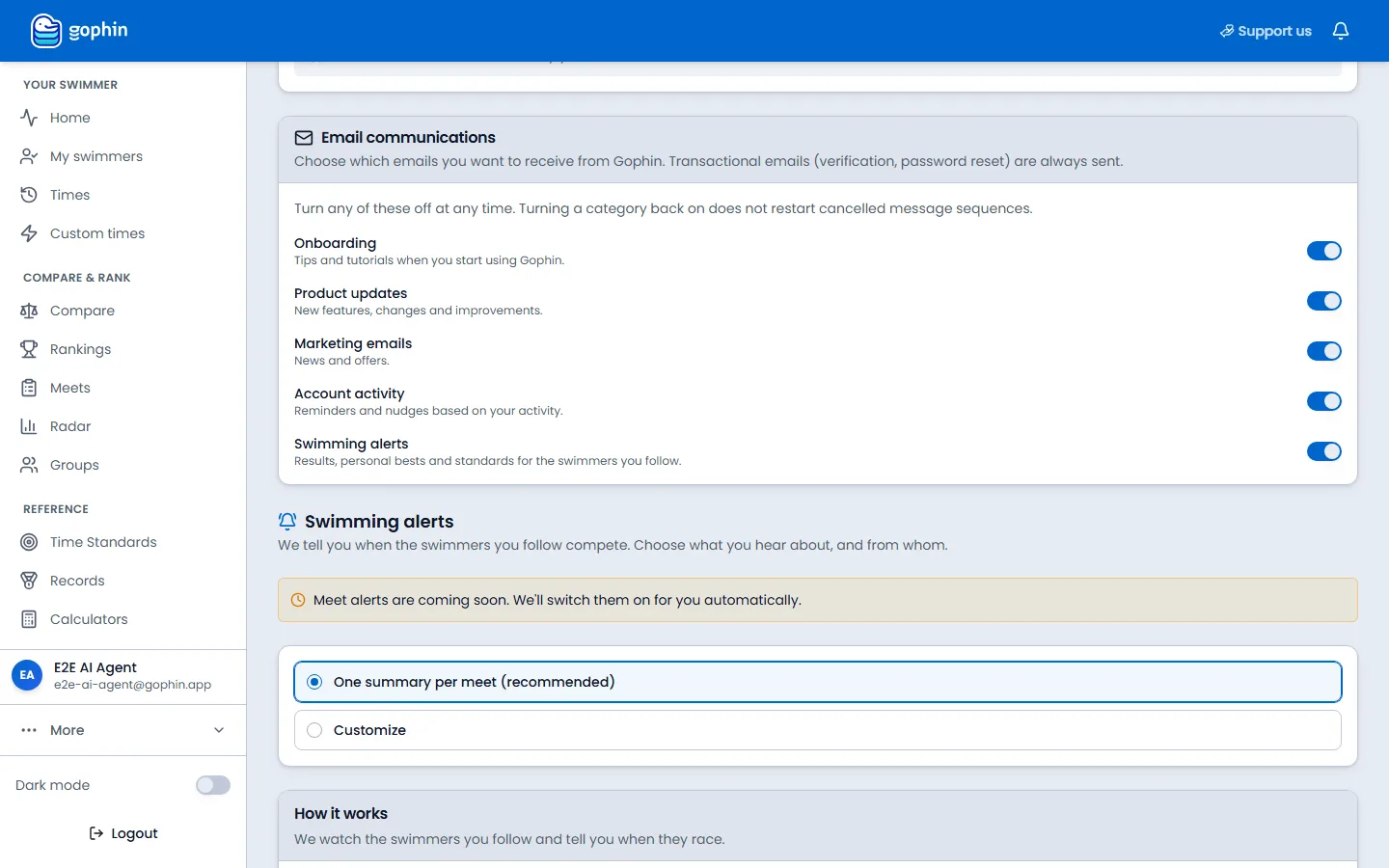
Email communications lists Onboarding, Product updates, Marketing emails, Account activity, and Swimming alerts. Each has its own switch. Verification and password-reset emails are always sent. Turning a category back on does not restart a sequence you already cancelled.
Meet alerts
Coming soon, already on the page
Swimming alerts says Gophin will tell you when the swimmers you follow compete. The page also says meet alerts are coming soon and will be switched on automatically. The choice underneath is One summary per meet (recommended) or Customize.
Tips
- Cookies are not these switches. The cookie bar is Privacy & data. This page is only what Gophin sends you.
- Marketing emails are news and offers. Turn that one off and the product still emails you about the account if Account activity stays on.
- Swimming alerts are results, personal bests, and standards for the swimmers you follow.
Common questions
How do I stop marketing emails?
Open Notification settings and turn off Marketing emails. Verification and password-reset emails still arrive.
Why does the bell stay on?
In-app notices in the bell are always on. Push, when the app is closed, has its own switch.
Are meet alerts already arriving?
The page says meet alerts are coming soon and will be switched on automatically. The recommended setting is one summary per meet.