
On the phone, tap your photo, open Account, then Send feedback. On a computer, open More at the bottom of the side menu, then Send feedback. Pick the type, describe what you found, and send. A confirmation email follows.
What the form is for
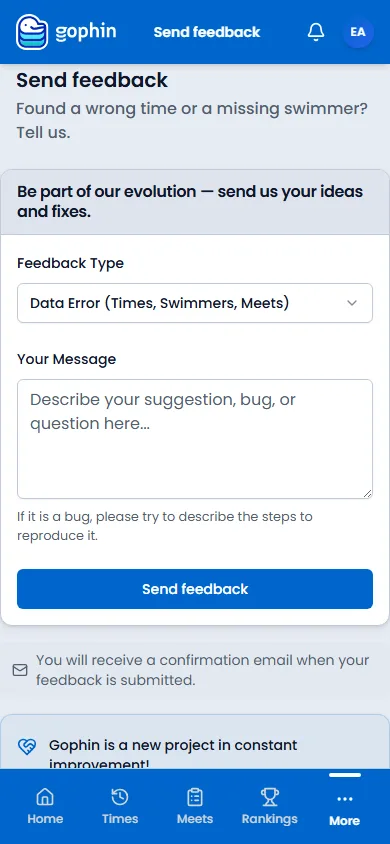
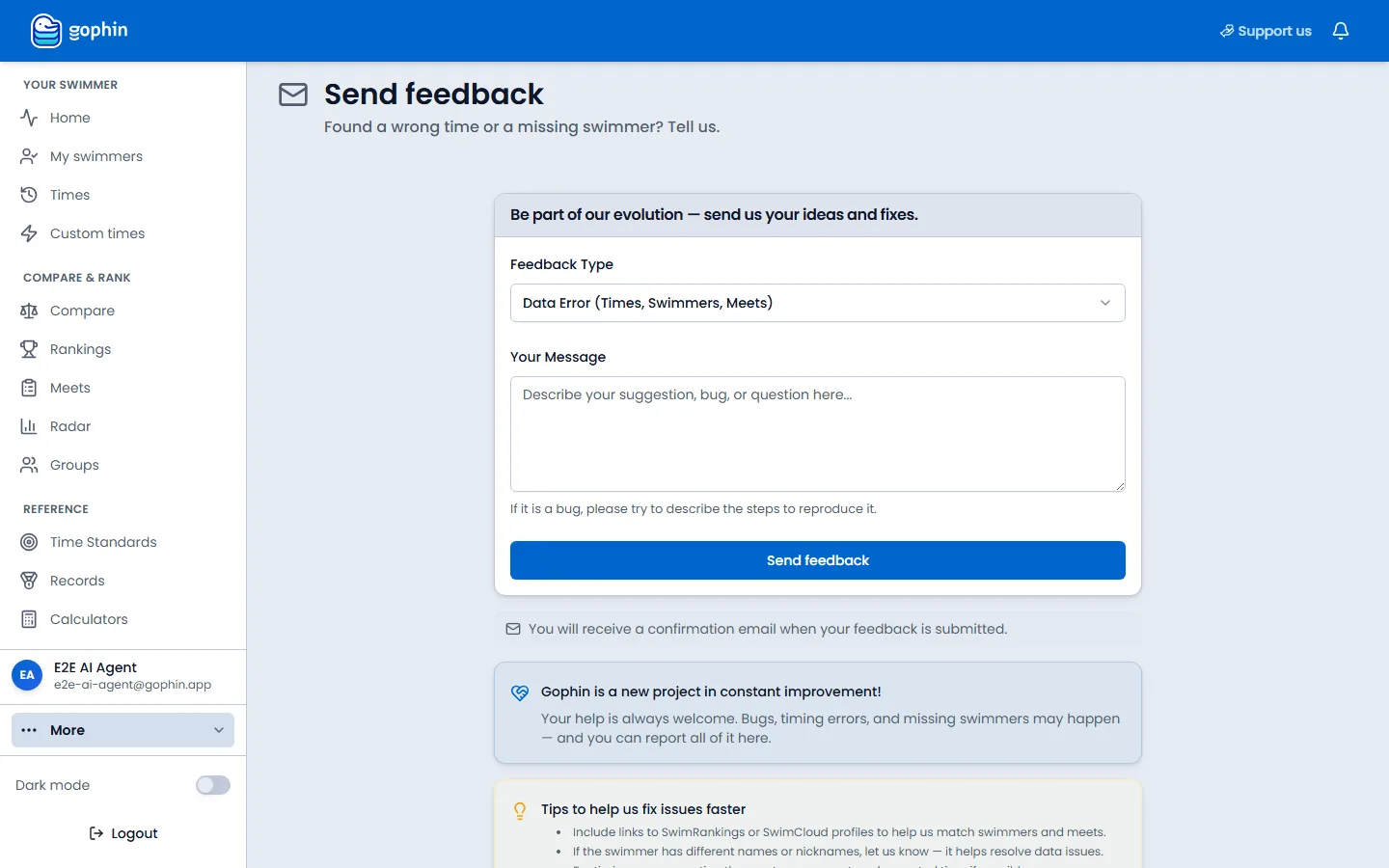
The page is titled Send feedback. The line under it asks about a wrong time or a missing swimmer. The same form also takes a feature idea, a bug, or a question.
How to open it
On the phone
Tap your photo at the top right. Open Account, then Send feedback.
On a computer
Open More at the bottom of the side menu, then Send feedback.
Say what it is, then what happened
Feedback Type starts on Data Error (Times, Swimmers, Meets). The other choices are Feature Request, Bug Report, Question, and Other. Write the details in Your Message. For a bug, include the steps. Select Send feedback.
What happens next
A confirmation email
The note under the button says you will receive a confirmation email when the feedback is submitted. The card below the form says bugs, timing errors, and missing swimmers can be reported here.
Tips
- A wrong time is a Data Error. Name the swimmer, the meet, and the event.
- A missing swimmer is a Data Error too. Include the name and the club if you know it.
- This is not the cookie bar and it is not a donation. Those have their own pages.
Common questions
Where is Send feedback on the phone?
Tap your photo, open Account, then Send feedback.
Will someone write back?
The page says a confirmation email is sent when the feedback is submitted.
Can I report a bug here?
Yes. Set Feedback Type to Bug Report and describe the steps in Your Message.