
Open Support us in the top bar on a computer, or More then Support Gophin on the phone. Pick once or monthly, choose an amount, and pay with Stripe. Every feature stays free either way.
A donation, not a plan
Gophin has no paid tier. The badge on the page says Free forever. The money keeps the servers and the meet imports running. It does not turn a feature on.
How to open it
On a computer
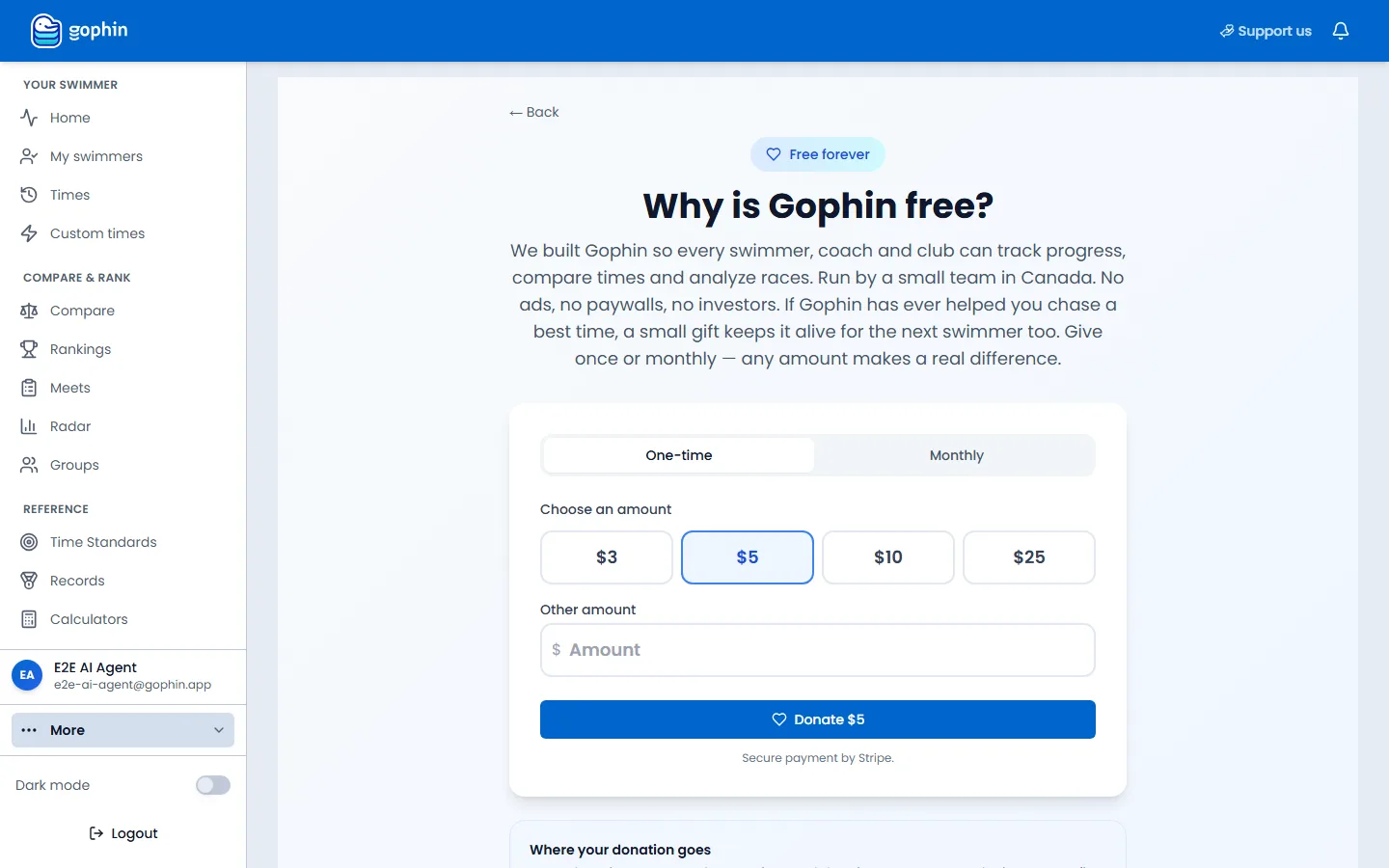
Select Support us in the blue bar at the top. The same page opens from Support Gophin in your profile list.
On the phone
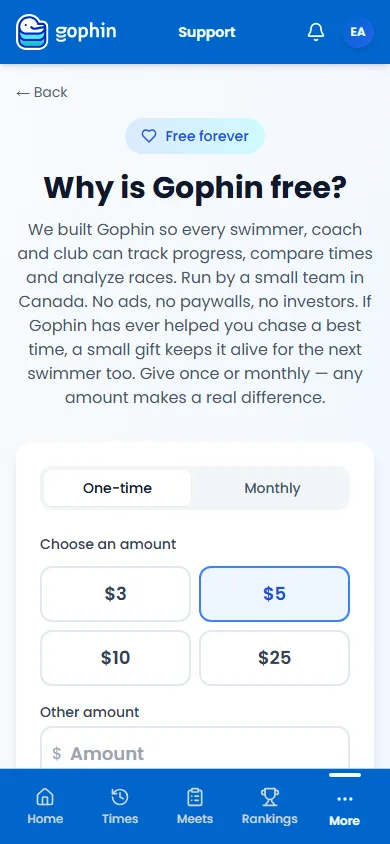
Open More in the bottom bar, then Support Gophin. Or open Profile and scroll to the card Why is Gophin free?
Choose once or monthly
One-time is a single gift. Monthly repeats until you cancel. The amounts are $3, $5, $10, and $25. Other amount takes a different number. The button reads Donate plus the amount you picked.
Where the money goes
Servers and meet data
The note under the button says Secure payment by Stripe. On Monthly it also says you can cancel anytime. Where your donation goes says every donation covers server time and data imports, not marketing and not profit.
Tips
- Nothing locks behind a gift. Rankings, comparisons, standards, and the rest stay available.
- You can give without an account from the public site, and the same page is inside the app once you are signed in.
- A monthly gift can be managed from this page after it starts. The button is Manage.
Common questions
Does a donation unlock features?
No. Every feature is already free. The donation keeps Gophin running.
Where is Support on the phone?
More, then Support Gophin. The Profile page also has the card Why is Gophin free?
Can I give a different amount?
Yes. Other amount sits under the four presets. The minimum is $1.