
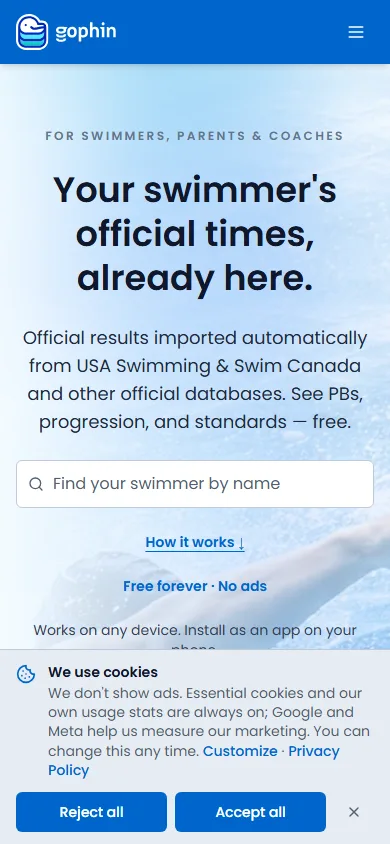
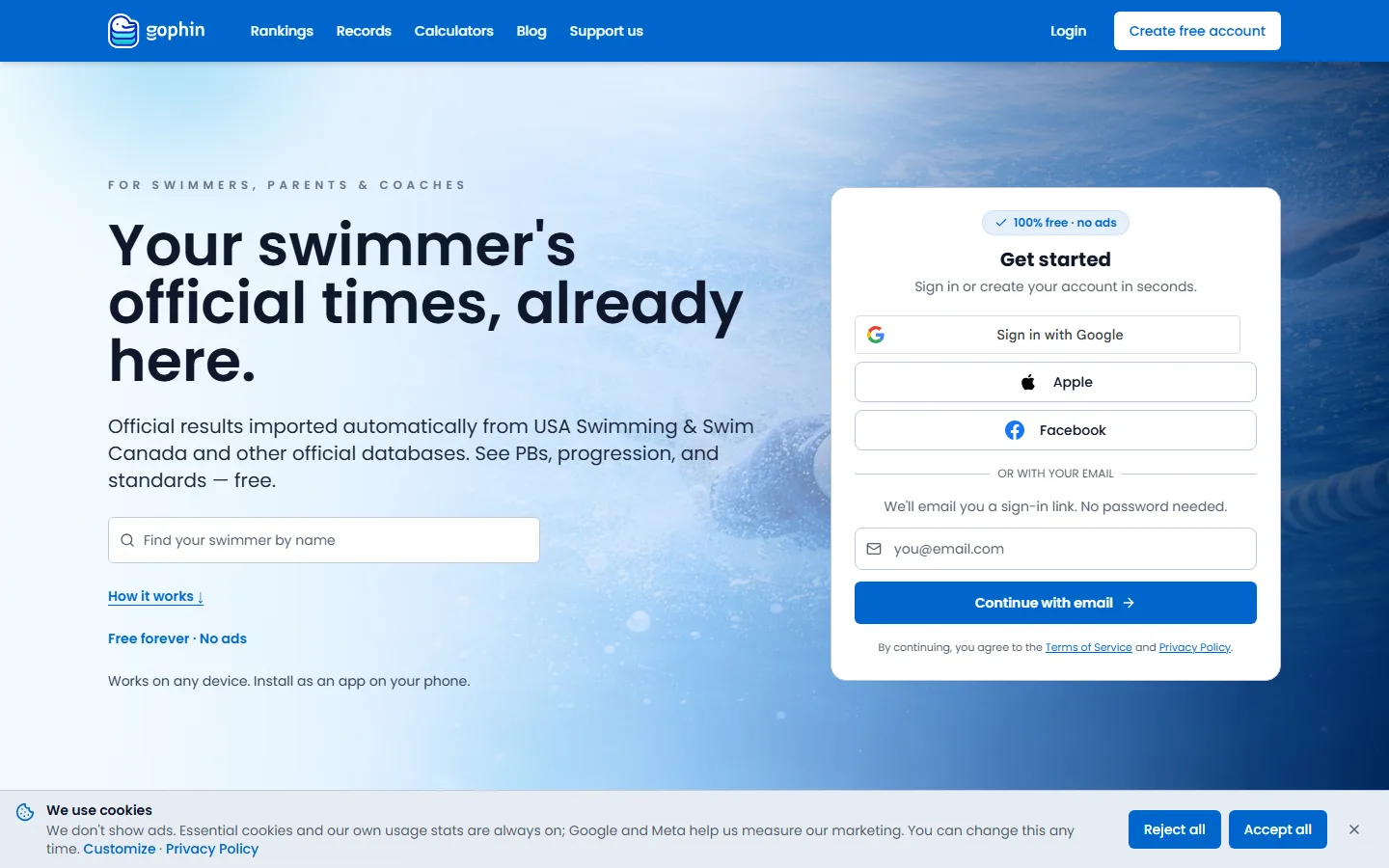
The cookie bar asks once: Reject all or Accept all. Change it later in Privacy & data. Essential cookies stay on. Export, correction, and deleting the account are on that same page.
The bar on a first visit
Before you have answered, a bar sits at the bottom of the site. The title is We use cookies. It says Gophin does not show ads, that essential cookies and Gophin’s own usage stats stay on, and that Google and Meta are used to measure marketing. You can change the choice later.
Reject all and Accept all are the two answers. Customize opens the finer chooser. Privacy Policy is the legal page.
Where to change it later
From your account
On a computer, open Profile and select Privacy & data. On the phone, open Profile and select Privacy and emails.
From the phone menu
Tap your photo, open Account, then Legal & Privacy, then Cookie preferences. That is the same choice as Customize on the bar.
Read the switches
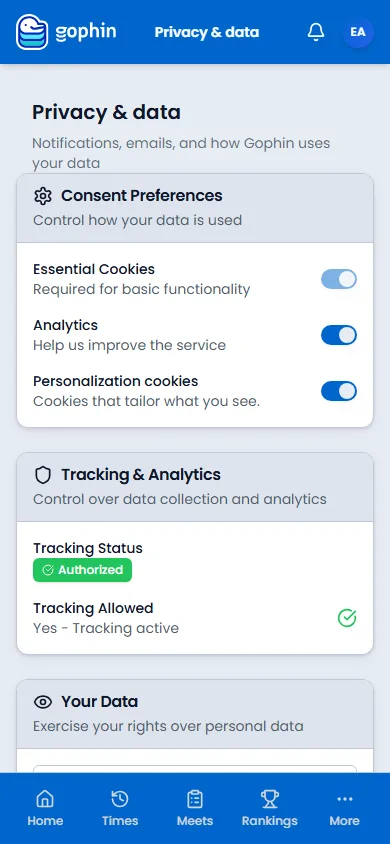
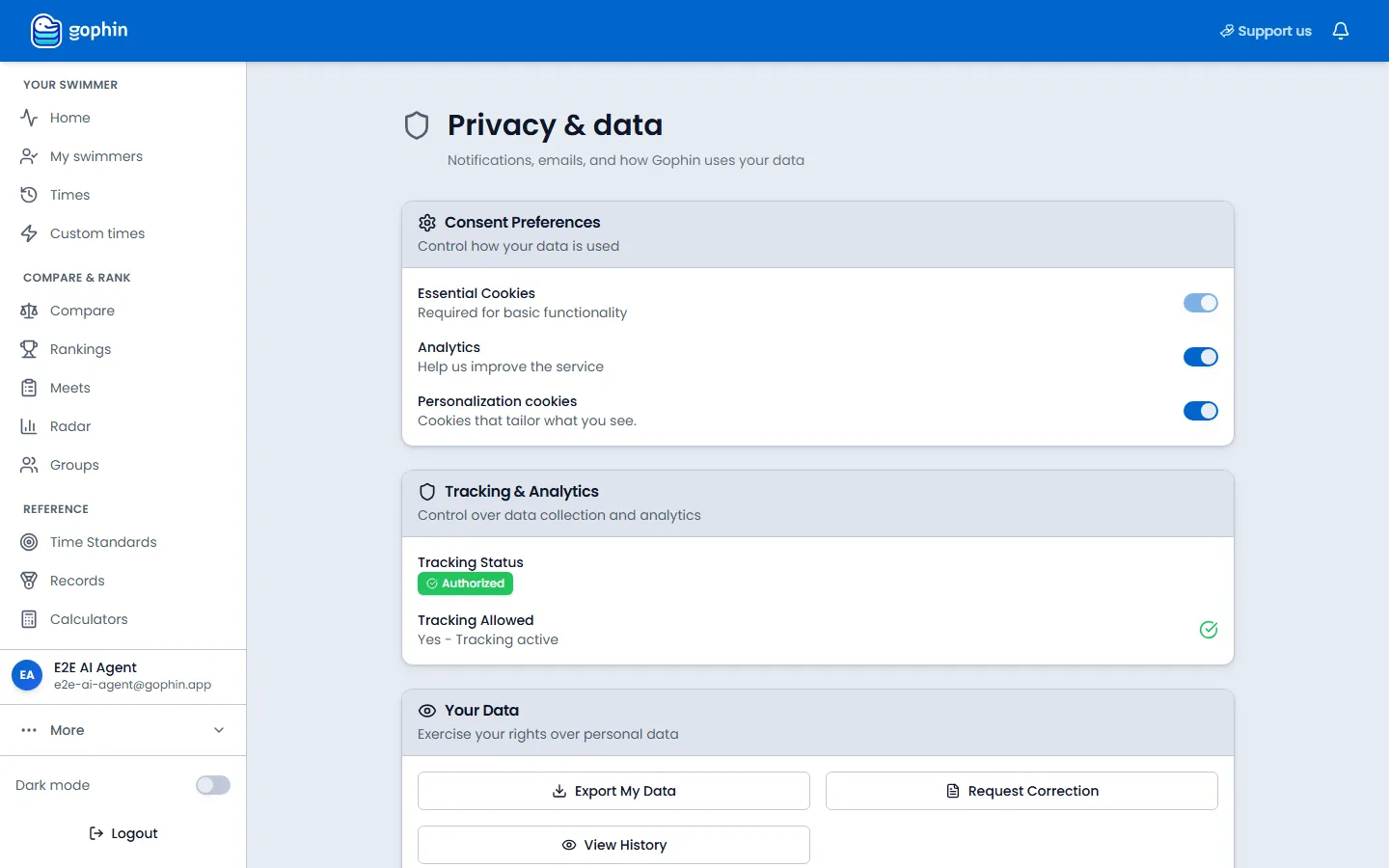
The page title is Privacy & data. Essential Cookies stay on. Analytics and Personalization cookies are the ones you can turn off. Tracking & Analytics shows whether tracking is currently allowed.
Your data, and deleting the account
Export, correct, or leave
Your Data has Export My Data, Request Correction, and View History. On a computer, Delete account in the profile list opens this page at the bottom. The button is Delete my account. The warning says this removes the login, the swimmers you follow, tracked standards, groups, comparisons, and notifications, stops a monthly donation, and takes your email off marketing lists. Public meet results stay.
Tips
- Emails are a different switch. Cookie consent is not the list of emails you receive. That list is on Notifications and emails.
- Reject all still leaves the app working. Essential cookies stay on so you can sign in.
- The bell is not this page. The bell is notices already sent. Privacy & data is the consent and the export.
Common questions
Where did the cookie bar go?
It asks once. After that, change the choice in Privacy & data, or on the phone under Legal & Privacy, then Cookie preferences.
What do Analytics and Personalization cookies do?
Analytics helps Gophin see how the site is used. Personalization cookies tailor what you see. Essential cookies stay on either way.
How do I delete my account?
On a computer, Profile, then Delete account. On the phone, Profile, then Privacy and emails, and continue to the bottom of Privacy & data.