
Open Times, then the Goals tab. The page shows one swimmer against the main standard: what is still to go, closest first, and what is already met.
What Goals shows you
The line under the title is How far each event is from the main standard, closest first. Goals is a swimmer’s progress. Your account is the person who signs in, and it lives on Profile.
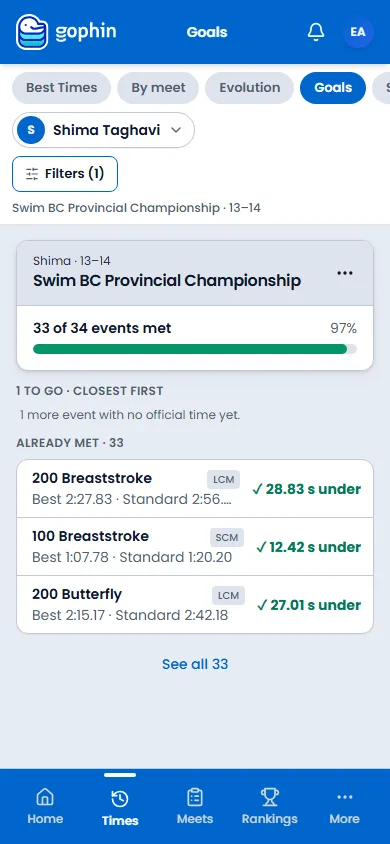
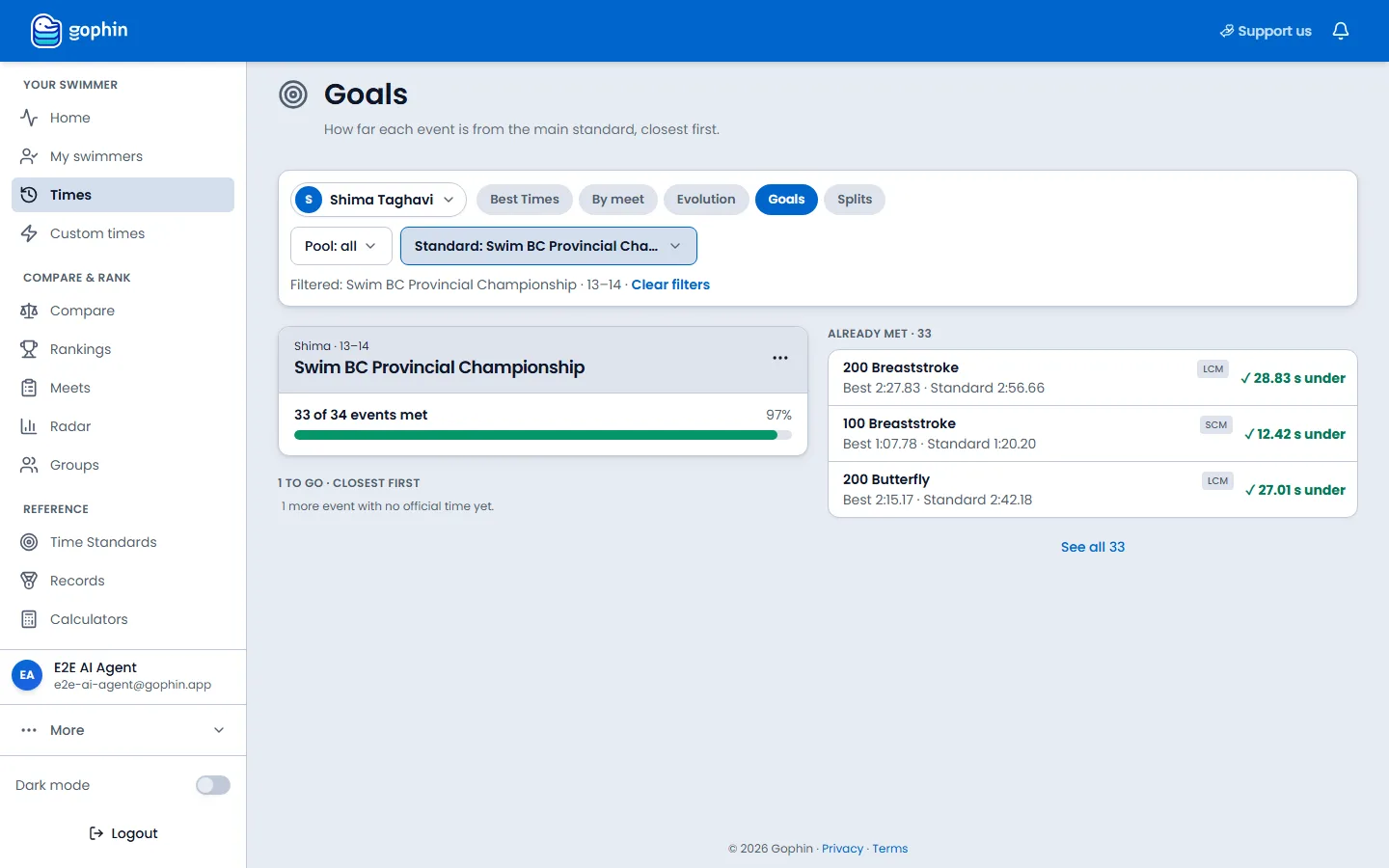
The card names the swimmer, the age group, and the standard. It counts how many events of that standard are already met, with the percent beside a bar. Under that, to go lists what is still short, closest first. Already met lists the events that have cleared the cut, best margin first.
Step by step
Open the Goals tab
On the phone, select Times in the bottom bar, then Goals. On a computer, select Times in the side menu, then Goals. The other tabs on that row are Best Times, By meet, Evolution, and Splits.
Check the swimmer and the standard
The name chip is the swimmer. Pool limits the course. Standard is the cut you are measuring against. On a computer, Clear filters sits on the line that repeats the selection. On the phone, Filters opens the same choices.
Read what is left
The heading is a count, then closest first. Each row is an event, the best time, the standard time, the course, and the gap. An event with no official time yet is counted in the note under that list. When every event is met, the page says so and suggests aiming higher.
Open the rest, or change the standard
See all expands the already-met list. The ⋯ menu on the standard card has See full comparison and Change main standard.
Where to find it
Free, with a free account
Free. You need a free Gophin account and a swimmer you follow. If no standard is chosen yet, the page says No standard chosen and asks you to pick a goal.
Tips
- Closest first is the event nearest the cut, not the swimmer’s best event. Already met is the other way around: the largest margin first.
- This is the main standard. The full event-by-event table is Compare Standards. Choosing which standards you track is Manage Standards.
- A missing time is still to go. The note says how many events have no official time yet.
Common questions
Is Goals my profile?
No. Goals is a swimmer measured against a standard. Profile is your account: name, language, email, and sign-in.
Where do I open Goals?
Times, then the Goals tab. On the phone, Times is in the bottom bar. On a computer, Times is in the side menu.
What if no standard is chosen?
The page says No standard chosen. Pick one, or use Change main standard from the menu on the card once a standard is set.