
Manage Standards is where you curate the qualifying standards you follow. Add the sets that matter, remove the ones that do not, and the rest of the app uses your list. It is free.
What Manage Standards shows you
There are a lot of standards out there. Manage Standards keeps your app focused on the ones that matter to your swimmer: the provincial cut, the national age group times, the meet you are chasing this season.
The list you build here feeds the Standards screen and the comparison tools, so a minute of curation makes everything downstream sharper.
Step by step
Open Manage Standards
In the menu, go to Management, then Manage Standards.
Add a standard
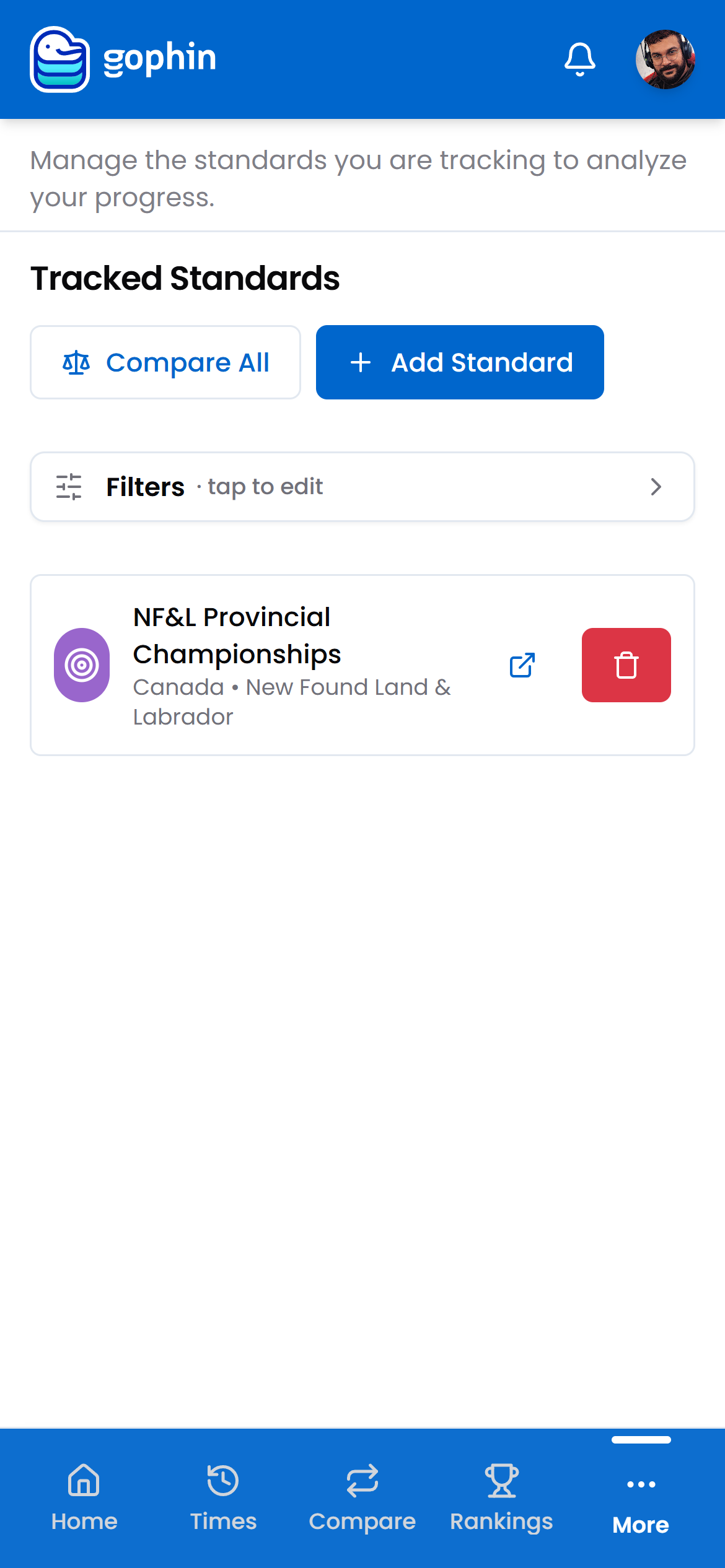
Tap Add Standard and pick the organization and set you want to follow.
Review your tracked list
Each card shows the standard’s name and region. This is the list the rest of the app draws from.
Open or remove a set
Use the open icon to view a standard’s times, or the delete button to stop tracking it.
Compare against them
Tap Compare All, or open Compare Standards, to line a swimmer’s bests against every set you track.
What's included
What's included
Tracking and browsing standards is free, and so is comparing a swimmer’s bests against the tracked sets, with the exact gap to each cut across 38+ organizations.
Tips
- Track the season’s targets, not every set you can find. A short list reads faster.
- Standards change by season and age. Revisit the list when a new season starts or a birthday moves the bracket.
- Your list powers other screens. The Standards view and the comparisons all draw from what you track here.
- Removing a set is reversible. Add it back any time.
Common questions
Is Manage Standards free?
Yes. Tracking and browsing standards is free, and so is the comparison, lining a swimmer's bests against your tracked sets with the exact gap to each cut.
Which standards should I track?
Track the sets that matter this season, such as the provincial cut, the national age group times, or the meet you are chasing. A short, focused list reads faster than every set you can find.
What happens to the rest of the app when I change my tracked list?
Your list feeds the Standards screen and the comparison tools. Adding or removing a set changes what those screens draw from, so a minute of curation keeps everything downstream focused.