
Swimmer vs Standards lines up a swimmer’s best time in each event against every standard you track. Each column is one standard, with the seconds under the cut and a count of events met.
What Compare Standards shows you
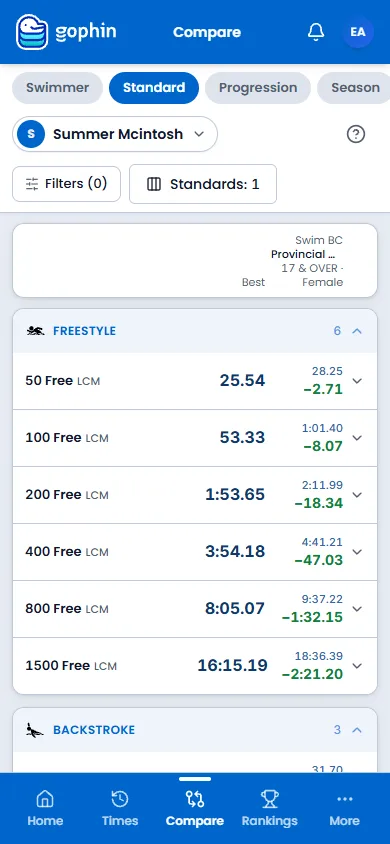
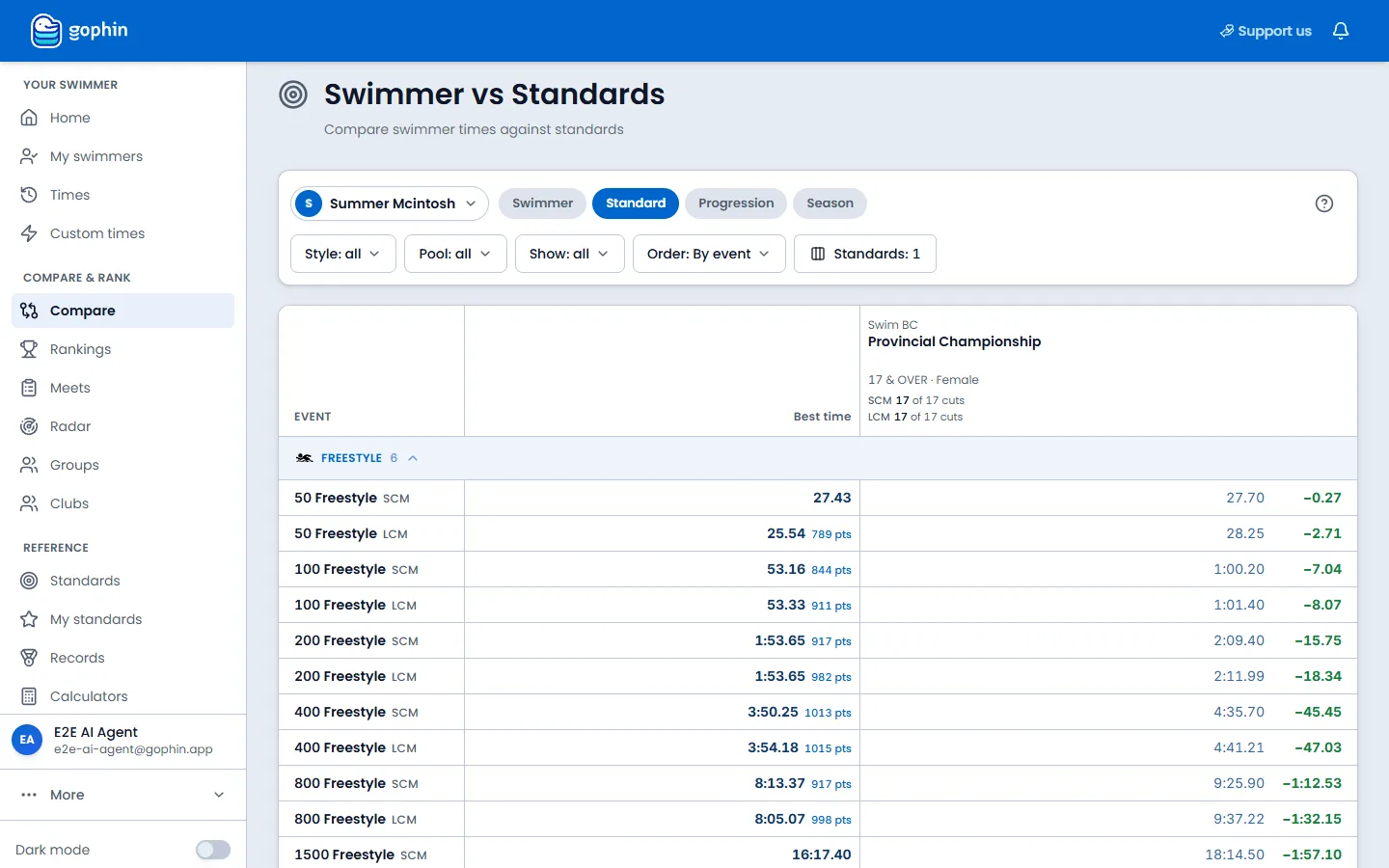
The page title is Swimmer vs Standards. The table has one row per event and one column per standard you are tracking. Each cell shows the target time and how many seconds the best is under that cut.
The column header counts how many events are already under that standard, such as 33 of 33.
Step by step
Open Compare Standards
On your phone, select More, then Compare, then Standard. On a computer, open Compare in the side menu, then Standard.
Pick the swimmer and the standards
Choose the swimmer, then the Standard tab. Standards chooses which tracked sets appear as columns. Other standard adds one that you do not track yet.
Read the columns
Each column is one standard. The header counts the events already under the cut. There is no separate progress card: the count and the seconds live in the table.
Scan each event
The row starts with the event and the best time. Each standard cell shows the target and under by the gap in seconds. Green means under the cut.
Narrow the view
Use Style and Pool to focus the rows. Order can put the closest cuts first. My custom times includes times you entered by hand.
Where to find it
Free, with a free account
Free. You need a free Gophin account, because it works with the swimmers you follow.
Tips
- Track the right sets first. Add the standards that matter in Manage Standards, then compare against them here.
- The gap is the headline. Seconds to the cut say more than ahead or behind alone.
- A dash is an invitation. No time in an event yet means the first swim sets the baseline.
- Re-check after each meet. New official results come in automatically, so the gaps update on their own.
Common questions
How do I see how far a swimmer is from a qualifying time?
Open Compare, then Standard. Swimmer vs Standards puts each tracked standard in its own column. Every event shows the best time, the target, and the seconds under the cut. The column header counts how many events are already met.
Is Compare Standards free?
Yes. Comparing a swimmer's bests against any of 60+ official time standards from the US, Canada, and Brazil is free with a free Gophin account.
Do the gaps update after a new meet?
Yes. Gophin imports official results automatically, with no manual entry, so the gap to each standard updates on its own as new times come in.