
Standards shows the qualifying times a swimmer is aiming for, by event, age group, and season. Open Standards, set the course and group, and read each target. You can also compare a swimmer's bests against 38+ organizations, all included.
What Standards shows you
Standards are the fixed qualifying times set by official organizations for a meet, an age group, and a season. The screen lists each target time for the standards you track, so you always know what a swimmer is aiming for.
Compare Standards lines a swimmer’s personal bests up against those targets and shows the exact gap to each one.
Step by step
Open Standards
In the menu, go to Times, then Standards.
Set the course and group
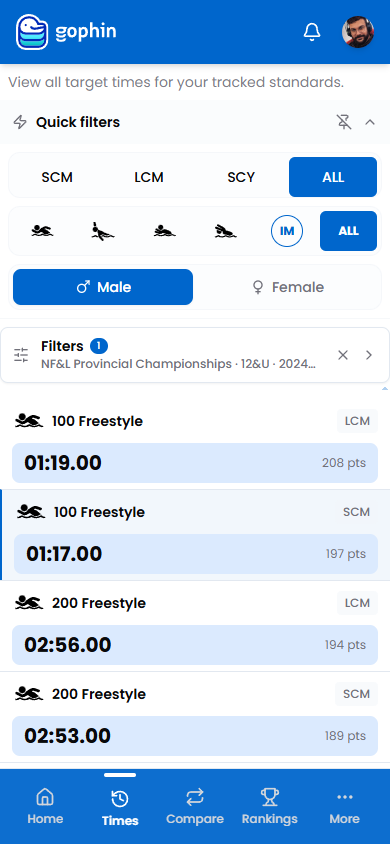
Use the quick filters for course and stroke, and the Male / Female toggle to set the group.
Choose the standards set
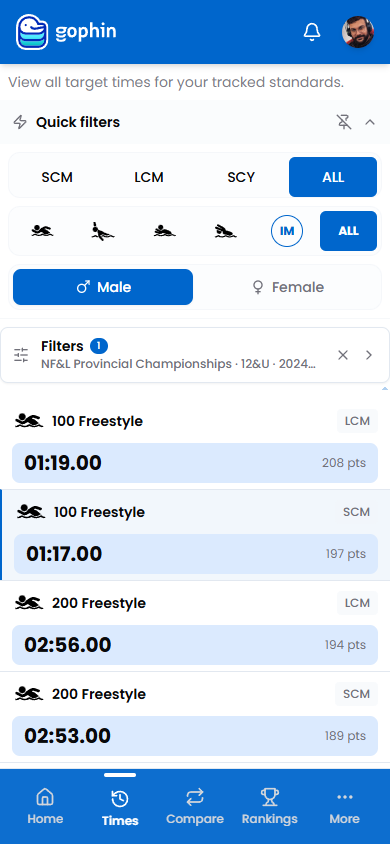
Open Filters to pick the organization, age group, and season you want to track.
Read each target
Each row shows the event, the qualifying time, and its World Points value.
Compare against a swimmer
With Compare Standards, overlay a swimmer’s bests to see how close each one is to the target.
What's included
What's included
Browsing standards is free, and so is Compare Standards, which lines a swimmer’s bests against 38+ official organizations with the exact gap to each.
Tips
- Pick the right set in Filters. Standards change by organization, age, and season.
- Use points to compare across events. They put every target on one scale.
- Pair with Best Times. That is where the gap to each target becomes real.
- Check each course. Targets differ between short and long course.
Common questions
What are standards in Gophin?
Standards are the fixed qualifying times set by official organizations for a meet, age group, and season. The screen lists each target time for the standards you track, so you always know what a swimmer is aiming for.
Can I see how close a swimmer is to a qualifying time?
Yes, with Compare Standards. It lines a swimmer's personal bests against 38+ official organizations and shows the exact gap to each target. It is included for everyone.
Is browsing standards free?
Yes, browsing qualifying times by organization, age group, and season is free. Comparing a swimmer's bests against those targets is included too.