
Performance Radar draws a swimmer's World Points across events as one shape, so you see strengths and gaps at a glance. Overlay a second swimmer to compare.
What Performance Radar shows you
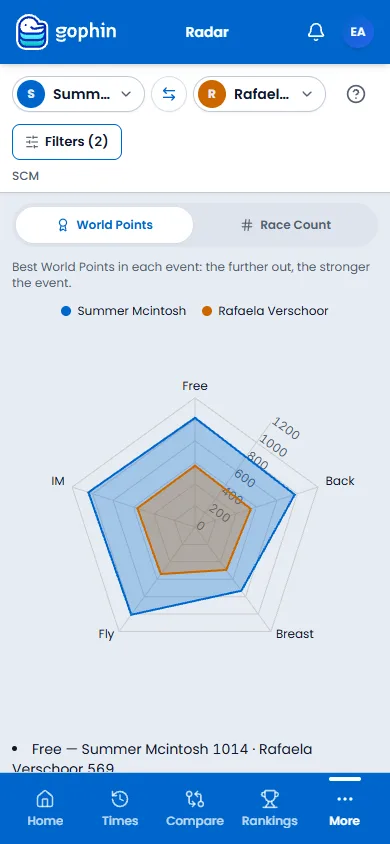
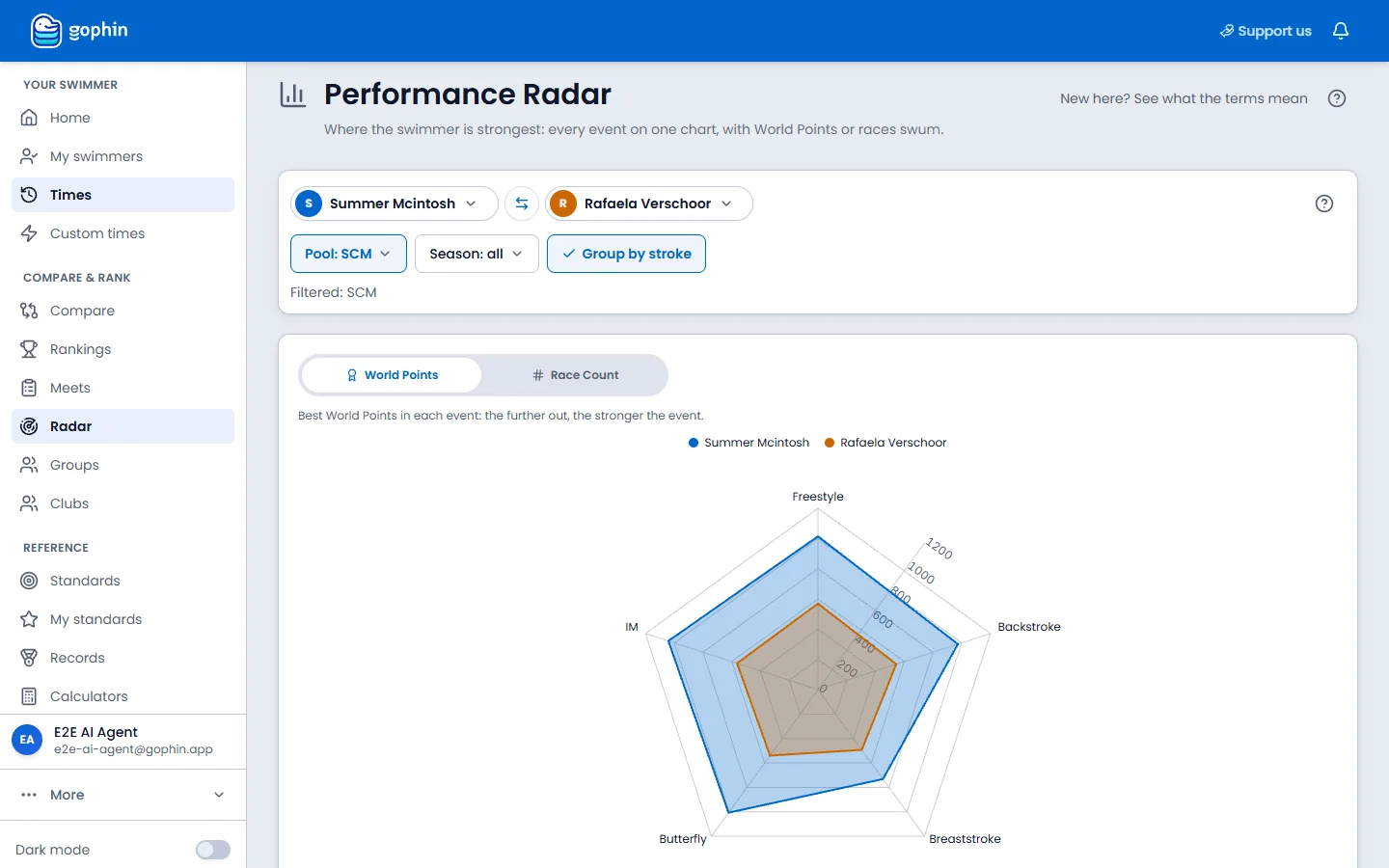
The radar answers a question lists cannot: what does this swimmer’s whole profile look like? Each axis is an event, the distance from the center is the World Points there, and the shape that emerges is the swimmer’s fingerprint.
Overlay a second swimmer and the comparison becomes instant: where the shapes match, they are even; where one bulges, that swimmer owns the event.
Step by step
Open Performance Radar
On your phone, select More, then Radar. On a computer, Radar is in the side menu.
Pick the swimmers
Use the swimmer selectors at the top. One swimmer shows a profile; add a second swimmer to overlay the two shapes.
Set course and season
Set the Pool (SCM, LCM, or SCY), the Season, and Group by stroke. They sit above the chart.
Choose the metric
Plot World Points for performance level, or Race Count to see where the racing actually happens. Yards pools have no World Points, so 25yd uses Race Count.
Read the shape
A balanced polygon is an all-rounder. A spike is a specialty. A dent is an event with room, or one not raced yet.
Where to find it
Free, with a free account
Free. You need a free Gophin account, because it works with the swimmers you follow.
Tips
- Start with one swimmer to learn their shape before overlaying a second.
- World Points make events comparable. That is what lets a 50 free sit next to a 200 IM on one chart.
- A dent is information. It may be a real gap, or simply an event never raced.
- Switch to race count to see whether the strong events are also the most raced ones.
Common questions
Is the Performance Radar free?
Yes. Performance Radar is free with a free Gophin account, and Home shows a smaller version of it for your selected swimmer.
How can you compare a 50 free with a 200 IM on the same chart?
The radar plots World Points instead of raw times. World Points put every event on one scale, so a short sprint and a long IM can sit side by side and still be compared fairly.
What does a dent in the radar shape mean?
A dent is an event with lower World Points. It can mean a real gap to work on, or simply an event the swimmer has not raced yet. The chart shows the shape; you read the reason.