
Invite Friends shares Gophin with other swim families through your own link. Open Invite Friends, then Share or Copy Link. It is free.
What Invite Friends does
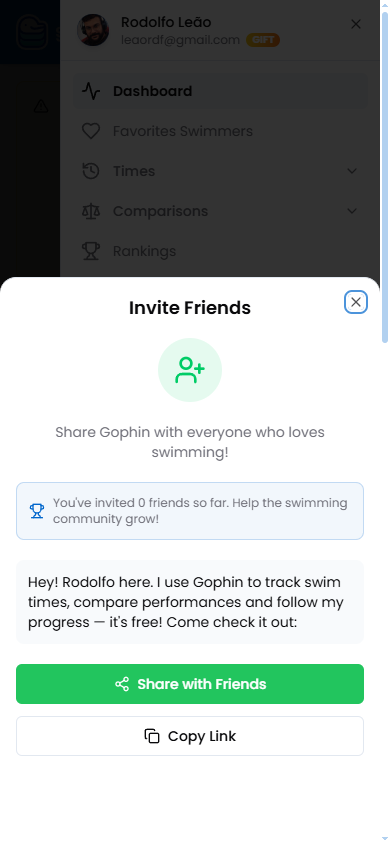
Invite Friends gives you a ready made message and your own link to share Gophin with anyone who follows swimming. It also keeps a small count of how many friends you have invited so far.
There is nothing to set up. The message is already written; you just send it.
Step by step
Open the menu
Tap the menu, then Invite Friends.
Share or copy
Tap Share with Friends to use your phone’s share sheet, or Copy Link to paste it anywhere.
Send it
Drop the link in a team chat, a group, or a message to another swim parent. They open it and get started free.
What's included
What's included
Invite Friends is free, and there is no cost to share. Everyone you invite can use every Gophin feature for free too.
Tips
- Share in your team group. A club chat is the fastest way to reach other swim families.
- Use Copy Link for one on one. It is the cleanest way to send the link in a direct message.
- Pair it with Groups. Once friends are in, organising swimmers into groups keeps everyone easy to follow.
Common questions
Does it cost anything to invite friends?
No. Inviting is free, and everyone you invite can use Gophin for free as well.
What does the person I invite see?
They open your link and land on Gophin, ready to sign up free and start tracking swimmers right away.
Do I have to write the message myself?
No. The message is already written for you. You can send it as is, or edit it before sharing.