
Gophin installs straight from the browser onto your home screen, no app store needed. Open the Install App page and follow the steps for iPhone or Android. It takes under a minute and it is free.
What Install App shows you
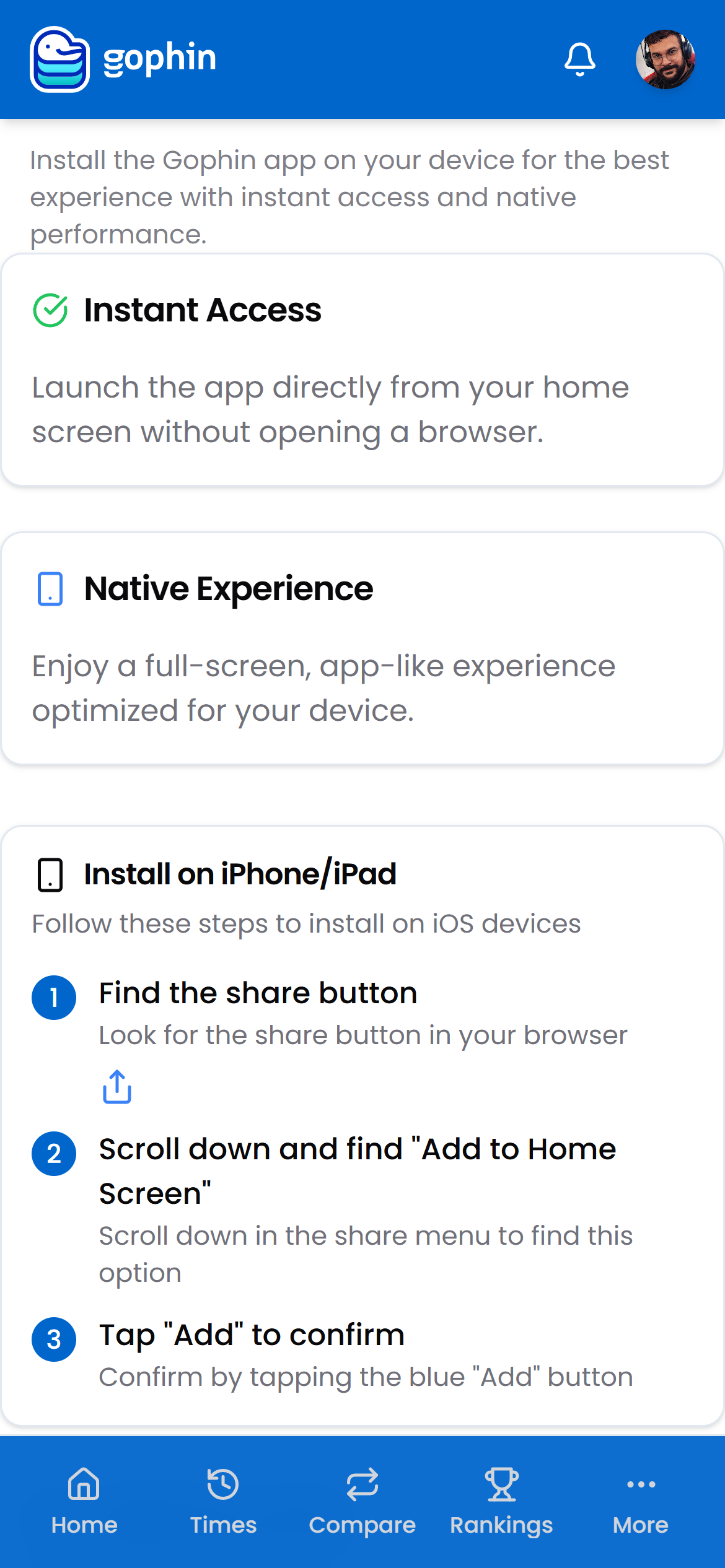
Gophin is a progressive web app. Installed, it opens full screen from its own icon, feels like a native app, and updates itself automatically.
The Install App page in the menu walks you through it for your device, and the steps below cover both platforms.
Step by step
Open the install page
Open the menu and tap Install App.
On iPhone or iPad
In Safari:
- Tap the share button in your browser
- Scroll down and choose Add to Home Screen
- Tap Add to confirm
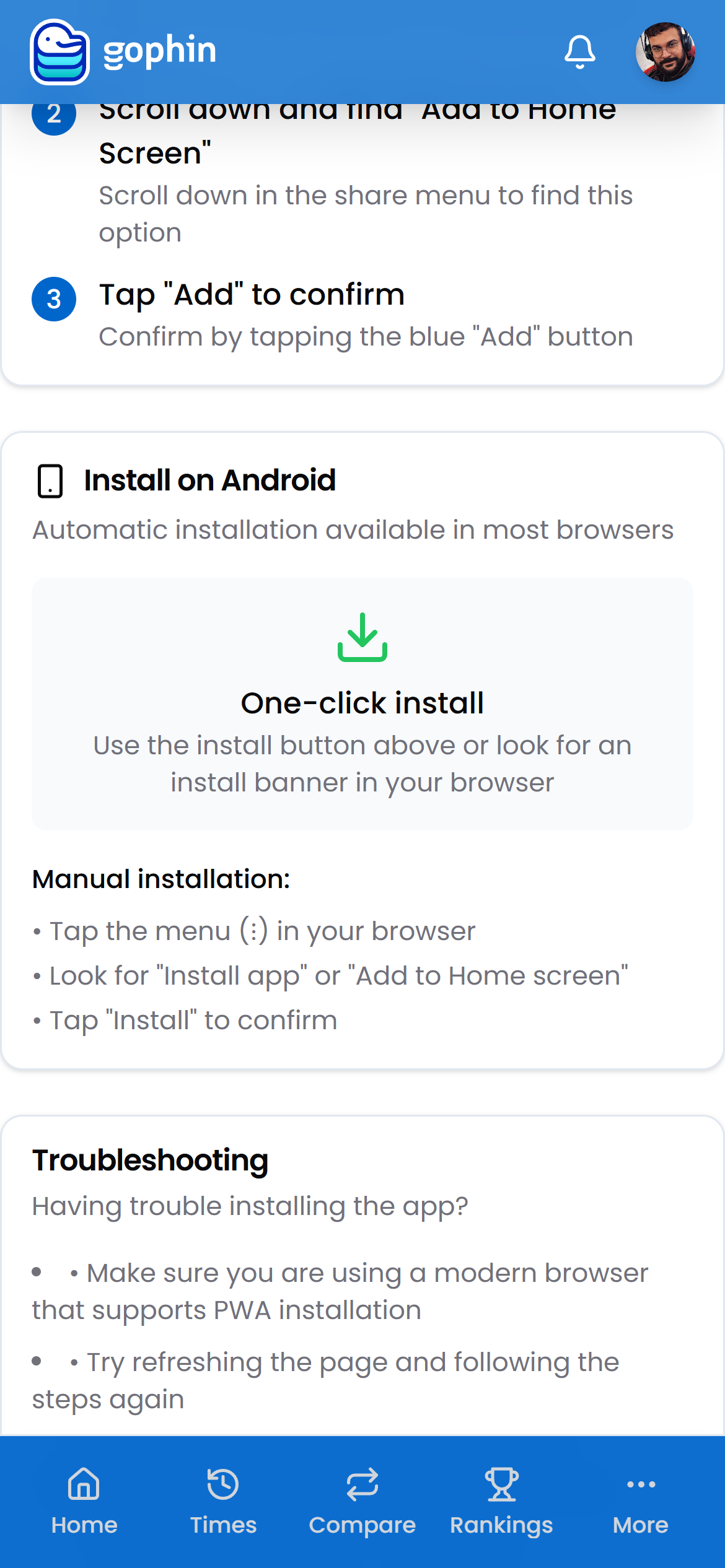
On Android
Most browsers offer a one-click install button or banner. If not, open the browser menu and tap Install app (or Add to Home screen), then confirm.
Open it from your home screen
Gophin now launches full screen from its own icon, with everything synced to your account.
What's included
What's included
Installing Gophin is free, like every core tracking feature. The app works the same installed or in the browser, your account and data follow you.
Tips
- No app store, no download size. It installs straight from the browser.
- Updates are automatic. You always open the latest version.
- If the install option is missing, refresh the page and try again, or use a current version of your browser.
- Same login everywhere. Phone, tablet, and desktop stay in sync.
Common questions
How do I install Gophin on my phone?
Gophin is a progressive web app, so it installs straight from the browser with no app store. On iPhone, open Safari, tap the share button, choose Add to Home Screen, then Add. On Android, use the install button or banner, or pick Install app in the browser menu.
What if I do not see an install option?
Refresh the page and try again, or use a current version of your browser. The install button or banner can be hidden on older or unsupported browsers.
Does the installed app cost anything or work differently?
No, installing is free, like every core tracking feature. The app works the same installed or in the browser, and your account and data stay in sync across phone, tablet, and desktop.