
Group Comparison ranks every swimmer in a group for one event, with medals for the top three best times. Pick the group, set the event, and read the podium.
What Group Comparison shows you
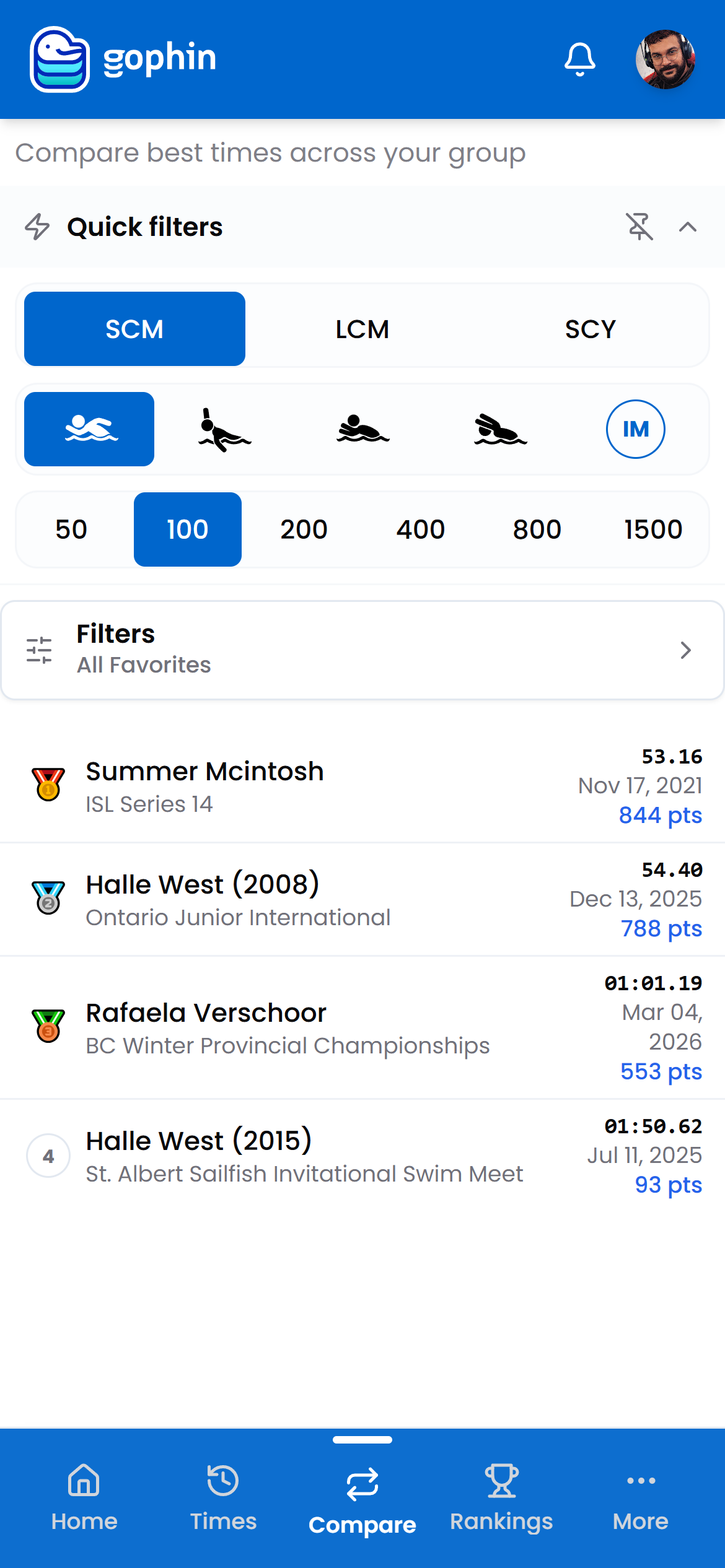
Group Comparison takes a group, your favorites or any custom group, and ranks everyone’s best time for one event. The top three get medals, and every row shows the time, the meet, the date, and the World Points.
Change the event and the podium reshuffles. It is the fastest way to see who leads where inside your own circle.
Step by step
Open Compare Groups
In the menu, go to Compare, then Compare Groups.
Choose the group
Open Filters to pick All Favorites or one of your custom groups.
Set the event
Use the quick filters for course, stroke, and distance.
Read the podium
Swimmers are ranked by their best time for that event. Each row shows the time, the meet, the date, and the World Points.
What's included
What's included
Group Comparison is included for everyone. Building the groups themselves is free too, in Management, under Edit Groups.
Tips
- Build a focused group first. A relay or an age bracket gives the podium real meaning.
- Flip through events. The leader in the 50 free is rarely the leader in the 200 back.
- Use the points column to compare across mixed ages and genders on one scale.
- Think relays. Ranking your group per event is the natural way to draft one.
Common questions
Is Group Comparison free?
Yes. Ranking a group is included for everyone, and building the groups themselves is free too, in Management under Edit Groups.
How does Gophin rank swimmers in a group?
It ranks every swimmer in the group by their best time for the event you pick, and awards medals to the top three. Each row shows the time, the meet, the date, and the World Points.
Can I compare swimmers of different ages or genders in one group?
Yes. The World Points column puts everyone on one scale, so mixed ages and genders can be compared fairly even when their raw times differ.