
Custom Times lets you add a swim by hand, kept separate from the official records. Open Custom Times, tap Add Custom Time, and enter the swim. You can save as many as you like.
What Custom Times is for
Most results in Gophin sync automatically from official competition records. Custom Times is for the ones that are not there yet: a swim from a meet that has not been published, or a time you want on hand before it lands in the databases.
A custom time is clearly kept separate from official results, so your record stays honest. It is a manual entry, not a verified one.
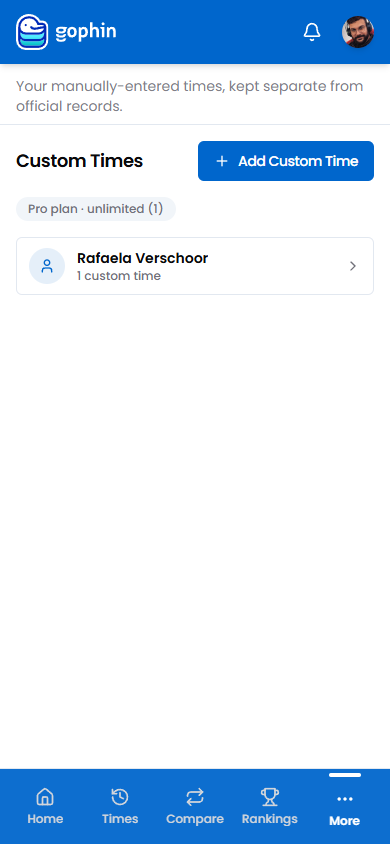
Step by step
Open Custom Times
In the menu, go to Management, then Custom Times.
Add a time
Tap Add Custom Time.
Enter the swim
Set the event, the course, the time, and the date. Pick the swimmer it belongs to.
Save
The time is saved and shown separate from official records, so it is never mistaken for a verified result.
What's included
What's included
Adding custom times is free, and you can keep as many manual times as you like.
Tips
- Use it for unpublished meets. Add a fresh result before it syncs, then let the official one take over later.
- Keep the date accurate. It is what places the swim correctly in the history.
- Remember it is manual. Custom times are not verified, so treat them as your own note, not an official record.
Common questions
Are custom times mixed in with official results?
No. A custom time is kept clearly separate from official records, so your verified history stays clean. It is labelled as a manual entry.
How many custom times can I add?
As many as you like. There is no limit.
Is Gophin a training log?
No. Gophin tracks competition results. Custom Times is just a way to enter a swim by hand when it is not in the official records yet, not a place to log practice.