
Compare Seasons lines up a swimmer’s events across two seasons and shows the change in every one, in seconds and World Points. Pick the swimmer and the seasons, then read the deltas.
What Compare Seasons shows you
One race can lie. A season cannot. Compare Seasons puts this season’s times next to last season’s, event by event, with the exact difference for each.
It is the cleanest answer to the question every swimmer and parent asks: are we actually moving forward?
Step by step
Open Compare Seasons
In the menu, go to Compare, then Seasons.
Pick the swimmer and the seasons
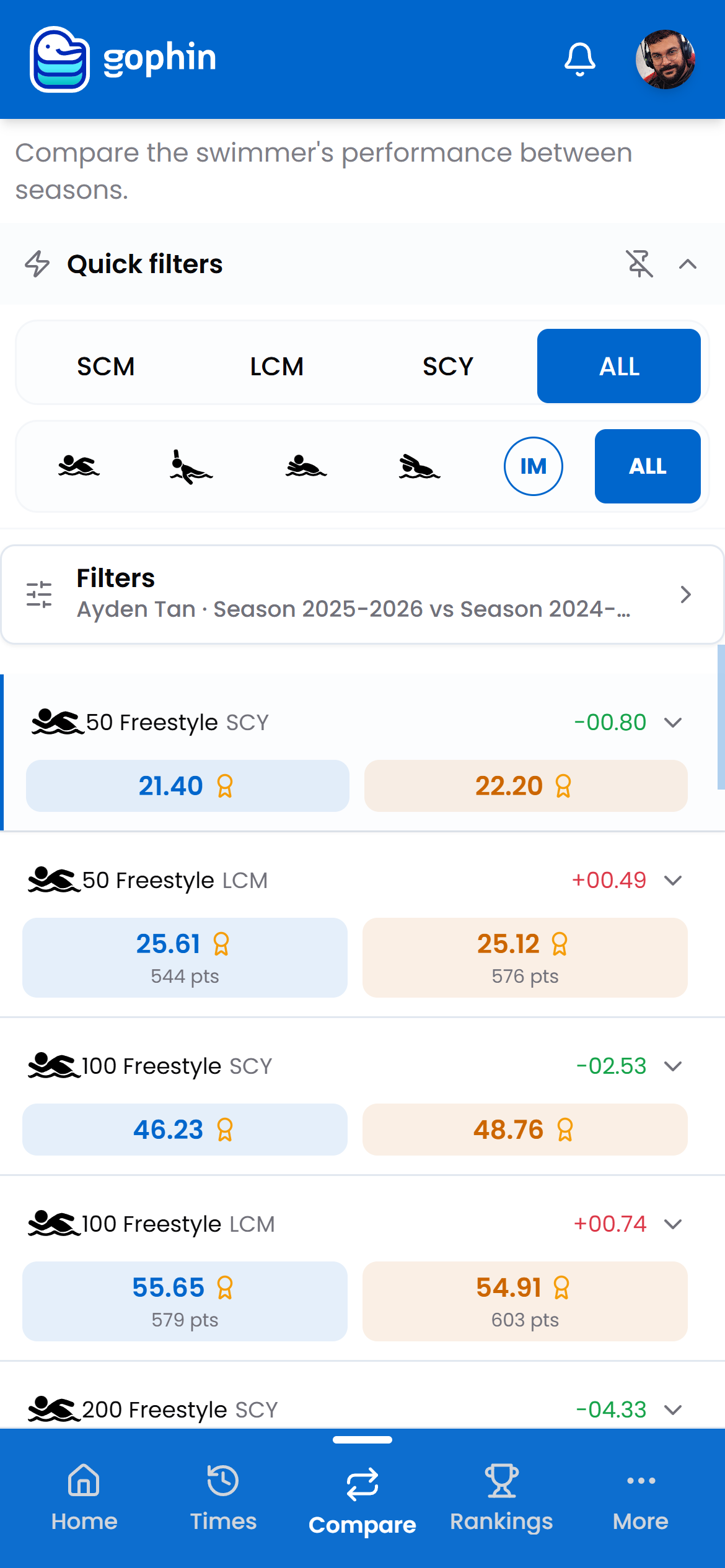
Open Filters to choose the swimmer and the two seasons to line up.
Narrow the view
Use the quick filters for course and stroke to focus on the events you care about.
Read each event row
Each row shows the time from each season with its World Points, and the difference in seconds. A negative number means this season is faster.
Open the detail
Tap a row to expand it for the full picture of both swims.
What's included
What's included
Compare Seasons is included for everyone, alongside Compare Swimmers, Group Comparison, Performance Radar, full rankings, and all 38+ qualifying standards.
Tips
- Compare the same course. An SCM season against an LCM season mixes pool types and muddies the read.
- Watch the points, not just the seconds. World Points make a 50 and a 400 comparable on one scale.
- A flat event is not a failure. Plateaus are part of a normal season; the full row of events tells the real story.
- Make it a ritual. An end-of-season pass through this screen beats reacting to any single meet.
Common questions
Is Compare Seasons free?
Yes. Compare Seasons is included for everyone, alongside Compare Swimmers, Group Comparison, Performance Radar, full rankings, and all 38+ qualifying standards.
How does Gophin show whether a swimmer improved between seasons?
It lines up the same events across two seasons and shows the difference for each one, in seconds and World Points. A negative number means this season is faster, so progress is visible event by event.
Should I compare seasons in different pool courses?
Better not to. Comparing an SCM season against an LCM season mixes pool types and muddies the read. Use the course filter to keep both seasons on the same course for a clean comparison.